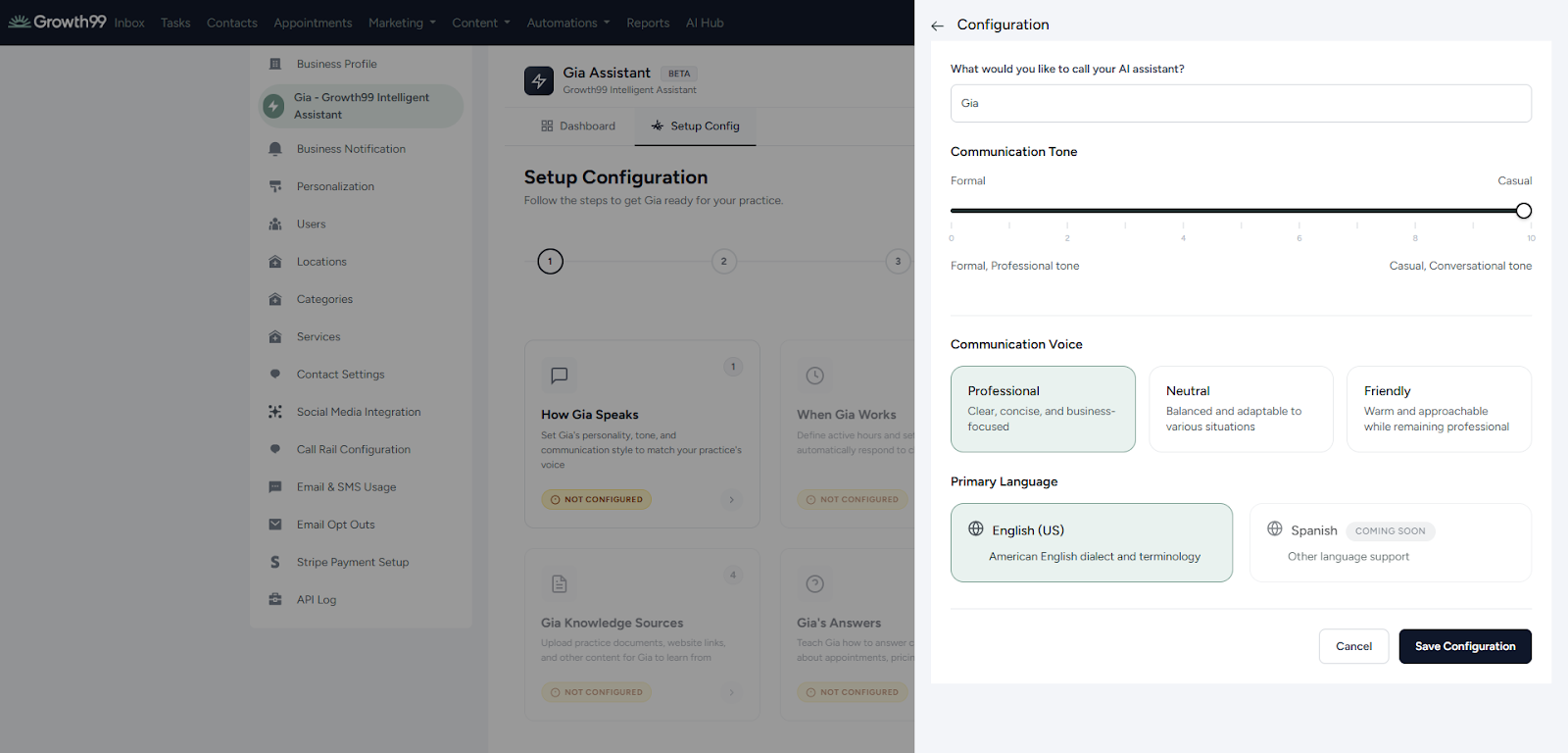
Customize how Gia communicates with patients.
- Configure the tone of Gia (e.g., professional, friendly, conversational)
- Change the name of the AI responder.
- Once you have completed the configuration, click “Save Configuration” to apply your changes.
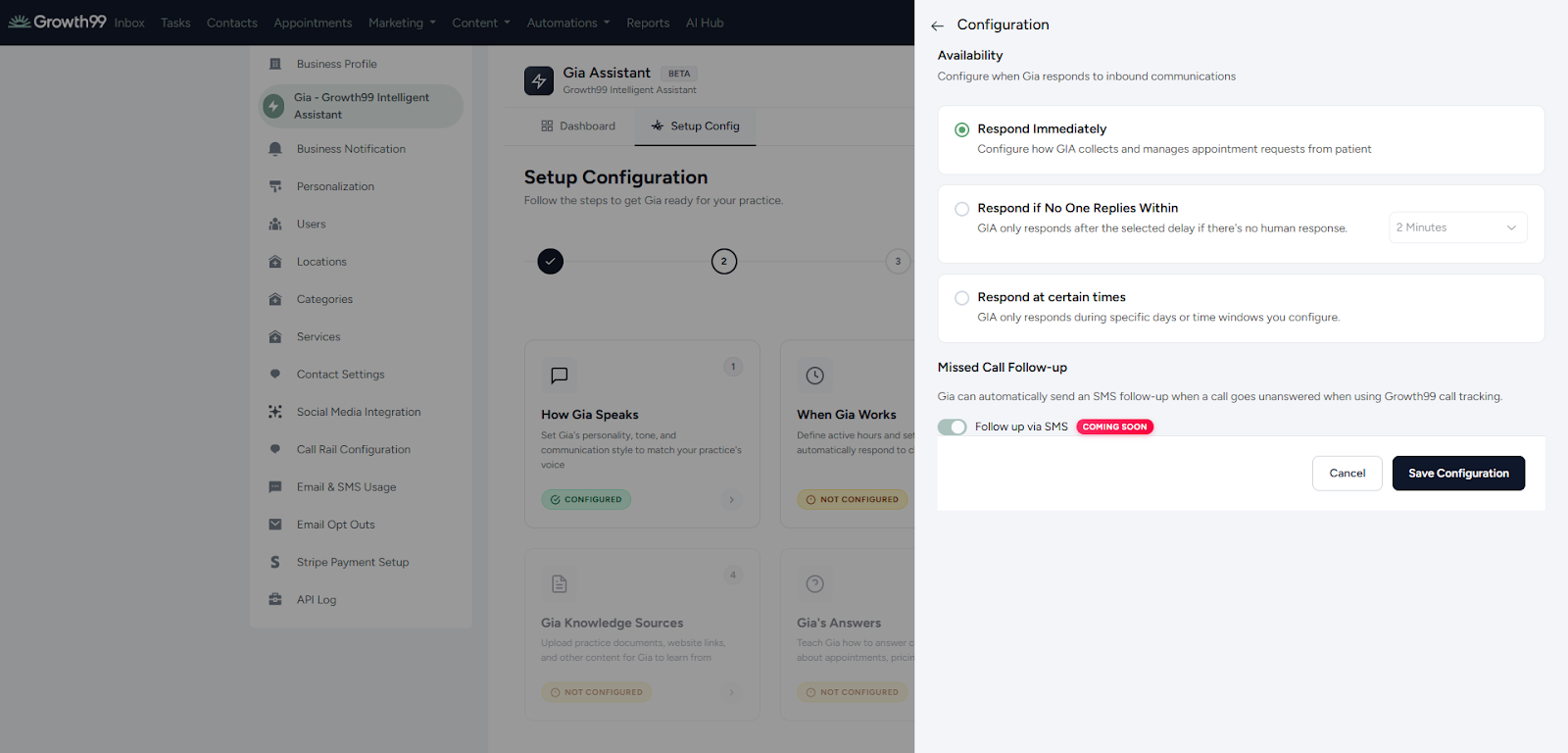
Control exactly when GIA responds to contact inquiries.
Response Options:
- Respond Immediately – Gia replies instantly to incoming messages.
- Respond After a Certain Time – Set a delay before Gia responds.
- Respond Within Specific Hours - Configure automated response windows (e.g., 9:00 PM to 6:00 AM) based on the local time zone.
- Select the option that best fits your clinic’s workflow and patient engagement strategy.