Activation Steps
- Step 1: Log in to your Growth99 account using your username and password
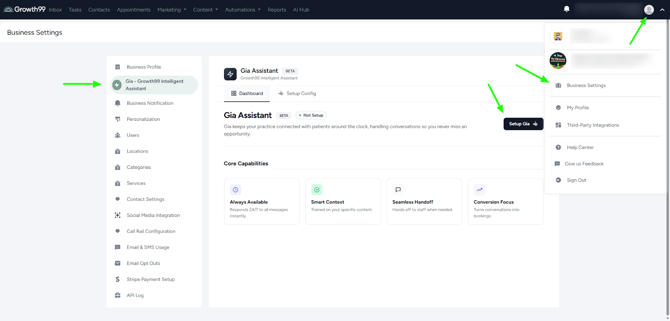
- Step 2: Navigate to Business Settings
- Click on your profile image in the top-right corner.
- Select Business Settings from the dropdown menu.
- Step 3: Open the Gia Settings
- In the Business Settings page, locate the Gia section (second section).
- Click on Gia.
- Step 4: Start Setup
- Click on “Setup Gia” to begin the activation process.
Activation Prerequisites
- Website Required at Location Level: Before activating Gia, ensure that your website is added to your location settings. If a website is not configured at the location level, you will not be able to proceed with Gia activation.
- Two-way Text Activation Required: Before activating Gia, please ensure that two-way text activation is completed. If it is not completed, the user will still be able to initiate Gia activation, but it will remain pending until the two-way text activation is completed.
Configuration
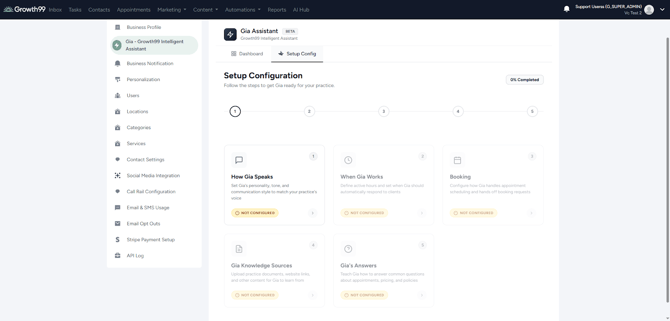
Step 5: After clicking on “Setup Gia”, follow the steps below to complete the configuration.