
Skip to content
English - United States
  • There are no suggestions because the search field is empty.

Edit Contact Information in Growth99+

Edit existing contact information in Growth99+. Whether you need to update phone numbers, email addresses, or other contact details, you can easily modify any contact record through the Contacts module using the edit slider.

Editing the Contacts module:

  1. Open the "Contact" module.
  2. Locate the contact you want to edit.
  3. Click on the three dots in the "Action" column. Refer to the image below.
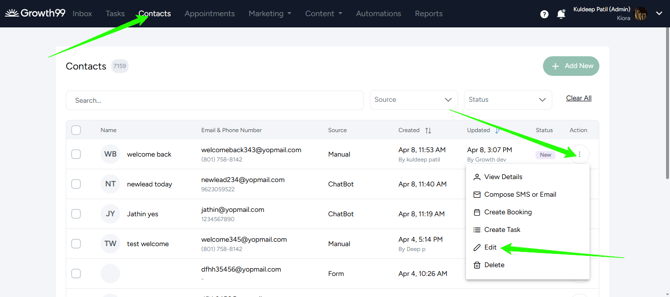
  4. From the dropdown menu, click on "Edit."
  5. A slider page will open from the side.
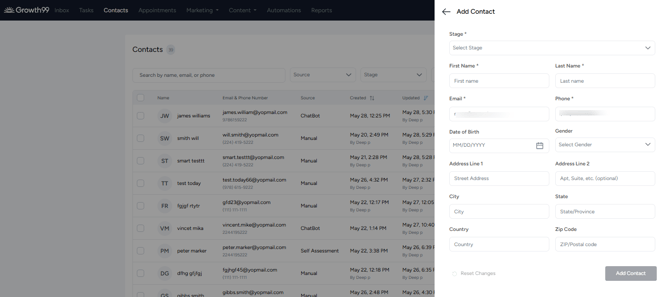
  6. You can now edit the contact details from this slider page.