
Skip to content
English - United States
  • There are no suggestions because the search field is empty.

Adding Notes to a Contact in Growth99+

Add notes to a contact in Growth99+. Notes help you track important information, communication history, and reminders for individual contacts. Follow these simple steps to access a contact's detail page and add your notes.

Adding Notes for a Contact:

  1. Open the "Contacts" module.
  2. Locate the contact that you want to add notes to.
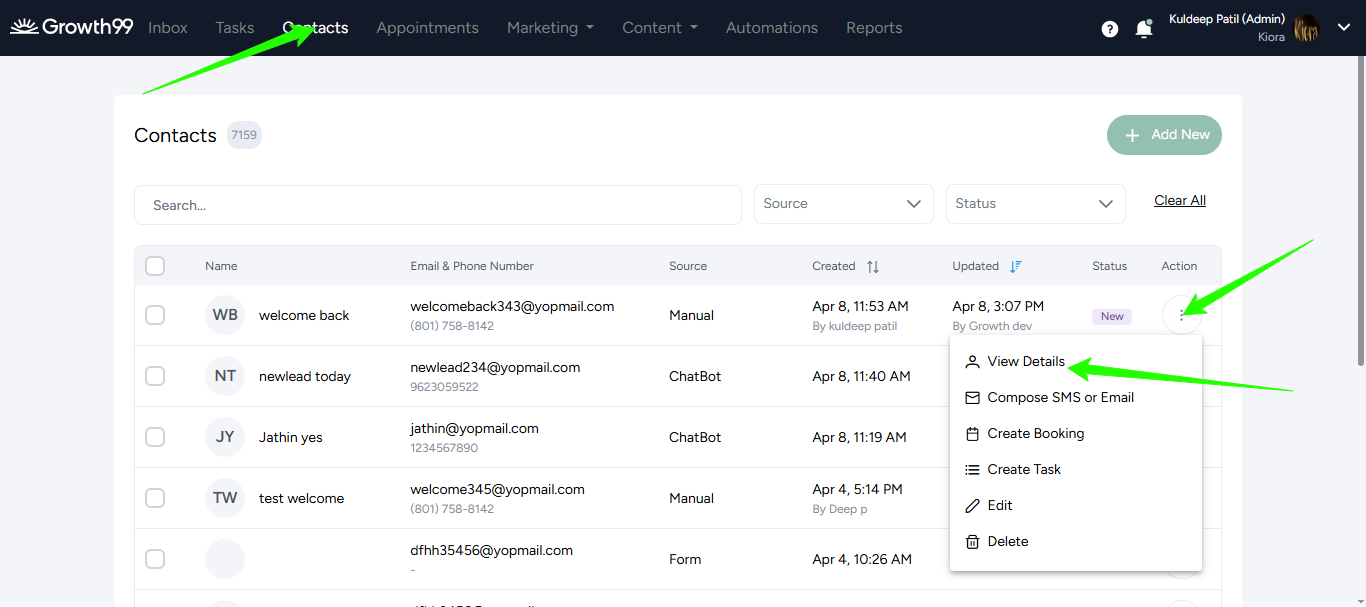
  3. Click on the three dots in the "Action" column.
  4. Select "View Details" from the dropdown menu.
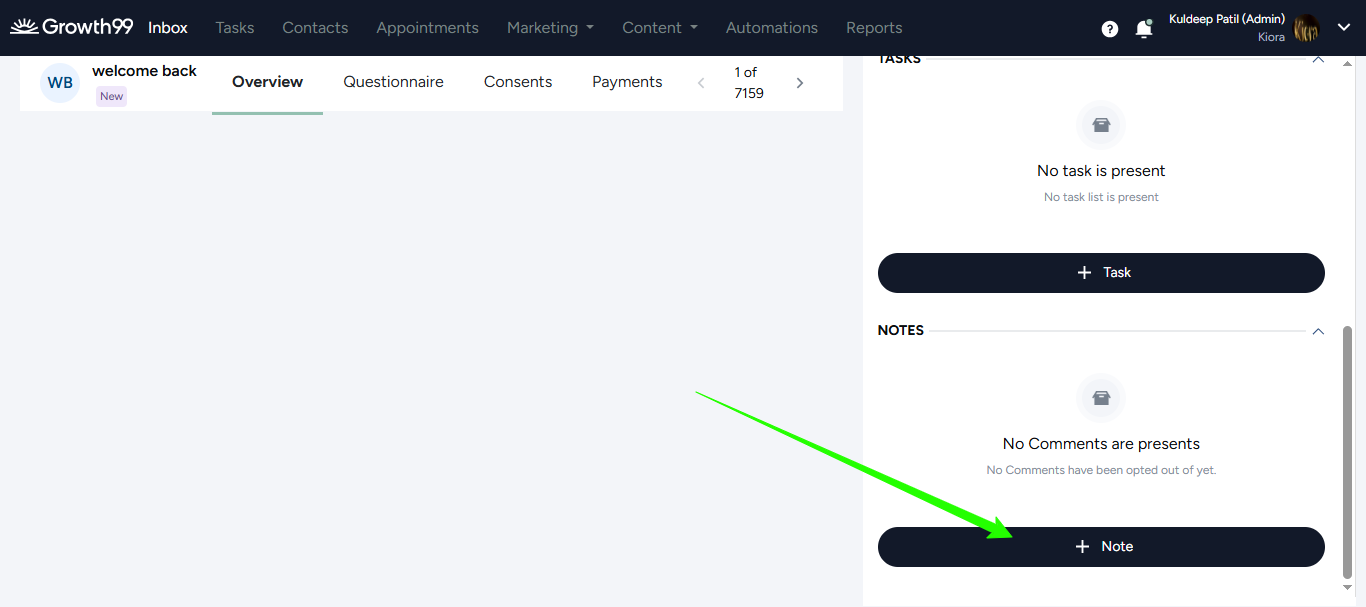
  5. A new "Contact Details" page will open.
  6. Scroll down the page until you find the "Add Notes" section.
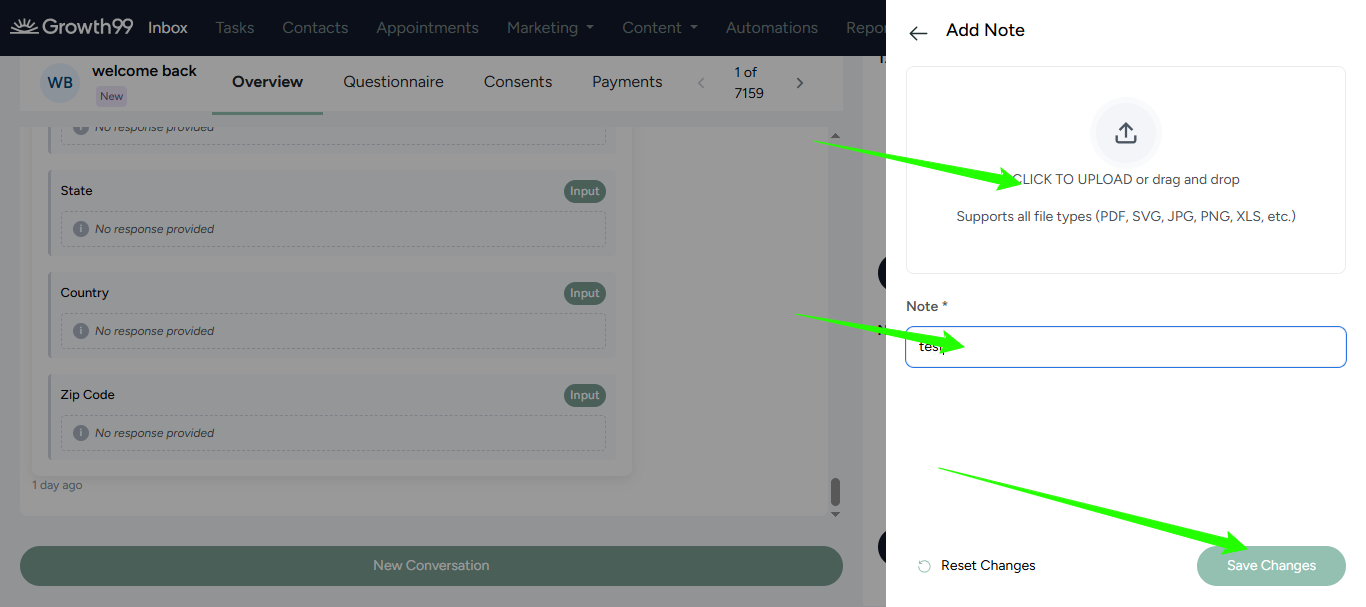
  7. Enter your note and save it.